

Residential proxy servers let you route your WordPress marketing traffic through real home IP addresses, making your competitive research, geo-targeted campaigns, and multi-account management appear as genuine local activity rather than automated business operations. Unlike datacenter proxies that get flagged quickly, residential proxies blend into normal internet traffic, giving you access to accurate regional search results, competitor pricing data, and social media analytics without triggering security blocks or skewed data.
For WordPress site owners running digital marketing campaigns, this distinction matters. When you’re testing how your content ranks in different cities, monitoring competitor ad strategies, or managing multiple client accounts, websites can detect and restrict datacenter IPs instantly. That triggers CAPTCHAs, blocks your access, or worse, shows you sanitized versions of what real users see. Residential proxies solve this by rotating through legitimate home connections, so platforms like Google, Facebook, and analytics tools treat your requests as authentic user behavior.
The practical benefits extend beyond avoiding blocks. You can verify that your geo-targeted WordPress landing pages display correctly in specific regions, scrape competitor content without detection, and run A/B tests from multiple locations simultaneously. This gives you the same view your actual customers see, not the filtered experience websites show to suspected bots.
Choosing the right residential proxy service requires balancing cost, location coverage, and ethical sourcing. Buy Cheap Residential Proxies with an affordable solution for IP adresses while ensuring the provider maintains genuine residential connections rather than misrepresented datacenter IPs that undermine your marketing efforts.
What Residential Proxy Servers Do for WordPress Marketing
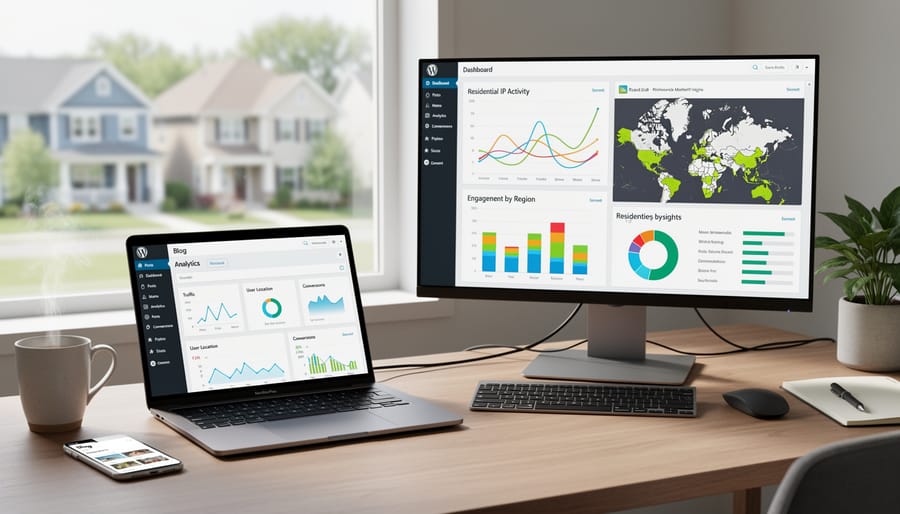
Residential proxy servers route your internet connection through IP addresses that internet service providers assign to real homes and mobile devices. Unlike datacenter proxies that come from cloud hosting facilities, residential proxies look identical to regular consumer internet traffic. When you browse through a residential proxy, websites see a genuine user from a specific location, not a corporate server from a data center.
This distinction matters enormously for WordPress marketing work. Most websites deploy sophisticated detection systems that flag datacenter IP addresses as suspicious. When these systems spot a datacenter proxy, they might block access entirely, serve different content, or skew the data you’re trying to collect. A residential proxy bypasses these defenses because it appears as authentic user traffic from the location you’ve selected.
The practical advantage shows up immediately when you’re researching competitors or verifying ads. A datacenter proxy attempting to view search results in Melbourne might get blocked or redirected. A residential proxy from Melbourne shows you exactly what local customers see when they search for products like yours. The same applies to social platforms, which aggressively flag and restrict datacenter IPs but treat residential addresses as legitimate users.
Speed represents the main trade-off. Residential proxies typically run slower than datacenter options because they route through actual consumer connections rather than high-speed server infrastructure. For WordPress marketing tasks that prioritize accurate data over rapid scraping, this slower speed is an acceptable cost for the authenticity and reliability you gain.
Five Ways WordPress Marketers Use Residential Proxies

Accurate Competitor Analysis and SEO Research
When you search for your target keywords from your own location, you’re seeing just one slice of the search landscape. Your competitors in London, Sydney, or São Paulo see entirely different results, different rankings, different featured snippets, different local pack listings. Residential proxies let you view those exact search results by routing your queries through IP addresses in those specific cities.
For WordPress site owners targeting multiple regions, this matters enormously. You can check whether your carefully optimized product page ranks on page one in Dallas but disappears on page three in Denver. You’ll spot competitors who dominate certain geographic markets but don’t appear in your home searches at all. This reveals gaps in your content strategy and shows you which local keywords actually drive visibility where your customers live.
The same principle applies to competitor research. Visit a rival’s site through a residential proxy, and you’ll see their geo-targeted content, regional pricing, location-specific offers, and market-tailored messaging. Many WordPress businesses customize their homepage, calls-to-action, and product displays based on visitor location. Without proxies, you’re missing the strategy they’re deploying in markets you want to enter.
Ad Verification and Campaign Monitoring
When you’re running paid campaigns to drive traffic to your WordPress site, you need confidence that your ads actually appear as intended. Residential proxies let you check how your display ads, Google Ads, or Facebook campaigns look to users in different cities or countries, without leaving your desk.
This verification catches problems before they drain your budget. You might discover that your ad creative appears broken on mobile devices in certain regions, or that your geo-targeted campaign for Manchester residents is somehow showing up in Madrid instead. Proxies from specific locations reveal these mismatches immediately.
Beyond placement accuracy, proxies help detect click fraud. By rotating through residential IPs in your target market, you can spot suspicious patterns: ads that load but never actually appear, competitor click farms generating fake impressions, or affiliate partners sending junk traffic to collect commissions. Catching these issues early protects your WordPress site’s marketing budget from waste.
For WordPress businesses running multiple regional campaigns simultaneously, proxies make it practical to monitor performance across markets daily rather than waiting for analytics reports that arrive too late to adjust strategy.
Social Media Management at Scale
Managing multiple social accounts becomes necessary when your WordPress business serves different regions or manages several brand identities. Social platforms watch for suspicious patterns, like the same IP address accessing dozens of accounts, and will lock you out fast.
Residential proxies solve this by giving each account its own authentic residential IP address, making your activity look like separate users logging in from home. This matters for WordPress agencies running client accounts, e-commerce sites with regional storefronts, or content creators managing niche communities across platforms.
The geographic authenticity helps beyond just avoiding blocks. When you engage with local audiences through a local IP, your comments and interactions appear more genuine to both the platform algorithm and real users. A Sydney-based proxy makes sense when you’re building community for an Australian product line, not because you’re hiding anything, but because it reflects actual market presence.
Start with one proxy per account and rotate them consistently. Don’t suddenly switch a long-established account to a completely different location, platforms notice that. The goal is steady, natural-looking activity that matches how real people use social media, just scaled across your WordPress brand’s legitimate marketing needs.
Content Localization Testing
Before launching a new landing page, product offer, or seasonal campaign, WordPress site owners face a critical question: does this content actually work for visitors in different locations? Residential proxies let you answer that question with confidence by viewing your site exactly as users in Tokyo, London, or São Paulo would see it.
This matters more than you might think. Currency displays can break, region-specific plugins may malfunction, and content that resonates in one market can feel tone-deaf in another. By routing your connection through residential IPs in target markets, you can catch these issues before your audience does, testing checkout flows with local payment methods, verifying that geolocation-based content blocks display correctly, and confirming that language switchers actually work.
The process is straightforward: connect through a proxy in your target region, browse your WordPress site as a visitor would, and document what needs fixing. Test different user paths, check mobile versus desktop experiences, and verify that calls-to-action make sense in local context. This hands-on verification catches problems that analytics alone won’t reveal, ensuring your WordPress site delivers a genuinely localized experience rather than a superficially translated one.
Market Research and Price Intelligence
Pricing decisions for your WordPress business shouldn’t rely on guesswork or limited regional data. Residential proxies let you gather accurate market intelligence by viewing competitor pricing, promotional offers, and product availability exactly as customers see them in different regions.
E-commerce WordPress sites can monitor how competitors adjust prices across markets, revealing seasonal patterns and regional pricing strategies. A proxy located in Germany shows you what German shoppers actually pay, while one in Australia reveals different pricing tiers or special offers targeting that market. This comparative data helps you set competitive prices without undercutting your margins or missing revenue opportunities.
Beyond pricing, proxies enable trend research that standard browsing misses. You can track how product descriptions, featured items, and marketing messages vary by location, identifying successful approaches to adapt for your WordPress store. Subscription services often show different plans to different regions; proxies reveal these variations so you understand the full competitive landscape.
The intelligence gathered informs decisions about which products to feature, how to position your WordPress brand, and where expansion opportunities exist. You’re not limited to your local market’s perspective when making strategic choices.
Choosing a Residential Proxy Service for Your WordPress Marketing

Selecting a residential proxy service means matching provider capabilities to your actual WordPress marketing tasks rather than chasing the highest specifications. Start by identifying what you need to accomplish: running competitor SEO research requires different coverage than managing social accounts for a regional brand.
Pool size matters for variety and rotation. Larger proxy pools give you more unique IP addresses to cycle through, reducing the chance that platforms flag your activity as suspicious. For WordPress marketers running ongoing campaigns or frequent research, look for providers with at least several million residential IPs. Smaller pools work fine for occasional tasks like quarterly market research or one-off content testing, but you’ll rotate through the same addresses faster.
Location coverage should align with your target markets. If your WordPress site serves customers in specific countries or cities, verify the provider offers robust coverage in those exact regions. Country-level targeting suffices for broad market research, but city or state-level options become essential when testing local search results or verifying geo-targeted ads. Don’t pay for global coverage you won’t use.
Speed and uptime directly affect your workflow efficiency. Slow proxies turn a 10-minute research task into an hour of frustration. Test providers during your trial period by accessing the same sites you’ll use for actual work. Check how quickly pages load through their network and whether connections stay stable during longer sessions. Marketing tools that scrape data or monitor campaigns need consistent uptime to avoid gaps in your reporting.
Ethical sourcing protects your WordPress site’s reputation. Reputable providers obtain residential IPs through transparent partnerships with users who knowingly participate, often through apps or services they’ve installed. Avoid services that can’t clearly explain how they source IPs. Using proxies from compromised devices or without user consent can link your WordPress brand to questionable networks, creating long-term trust and deliverability issues.
Pricing should reflect your actual usage patterns. Pay-as-you-go models work well for sporadic tasks, while monthly subscriptions make sense for regular marketing activities. Calculate cost per GB against your expected data consumption. A WordPress marketer running daily competitor checks uses far less bandwidth than someone scraping product databases, so price structures that favor your specific use case matter more than headline rates.
Setting Up Proxies with WordPress Marketing Tools
Connecting residential proxies to your WordPress marketing workflow is more straightforward than many site owners expect. Most marketing tools you already use, SEO platforms, social media schedulers, analytics services, offer proxy support through their settings or API configurations.
For browser-based research and competitor analysis, you’ll typically configure proxies at the browser level or use a proxy management extension. When you’re analyzing search results in different locations or checking how your WordPress site appears to international visitors, you’ll paste the proxy server address, port number, and authentication details your provider supplies into your browser’s network settings or the extension interface. This routes your browsing through the residential IP address you’ve selected, letting you view the web as someone in that location would.
SEO tools like Ahrefs, SEMrush, or SERanking generally allow proxy connections through their account settings or project configurations. You’ll enter the proxy credentials your provider gave you, test the connection, then assign specific projects or searches to route through particular locations. This prevents these tools from getting blocked during intensive crawling and gives you accurate local keyword rankings for your WordPress content strategy.
Social media management platforms that handle multiple accounts, Buffer, Hootsuite, or later versions of scheduling tools, often support proxies to prevent platform restrictions. You’ll link each social account to a different residential IP address from your pool, which helps WordPress brands manage regional presence authentically. The setup typically happens in the account connection section where you’d normally authorize social platforms.
For WordPress plugins that handle SEO analysis or rank tracking directly from your dashboard, check whether they support custom proxy configurations. Some do; others route through their own infrastructure, which may not need your residential proxies. When a tool doesn’t natively support proxies, you can usually configure them at the system level on your computer or use a dedicated proxy client that routes all traffic from specific applications.
Most residential proxy providers offer dashboard interfaces where you manage your IP pool, generate connection credentials, and rotate addresses. You’ll typically create a proxy “endpoint”, essentially a gateway address, that automatically rotates through different residential IPs based on rules you set. This endpoint is what you paste into your marketing tools, letting the provider handle the complexity of switching addresses while you focus on campaign execution.
The technical barrier is lower than it appears. If you’ve ever connected a WordPress plugin to a third-party service using an API key, you have the skills needed to configure proxies across your marketing stack.
Best Practices and Common Pitfalls
Smart proxy use starts with rotation. Don’t hammer the same IP address repeatedly, set your provider to rotate IPs automatically or switch manually between tasks. This mimics natural browsing patterns and prevents platforms from flagging your activity as suspicious.
Respect rate limits on every platform you’re researching. Just because you can scrape competitor data doesn’t mean you should pull hundreds of pages in minutes. Space your requests, add random delays, and stay within reasonable bounds. Aggressive data collection burns through your proxy budget and risks getting your WordPress site’s domain associated with bot-like behavior.
Stay compliant with platform terms of service. Most social networks and search engines prohibit automated interaction or misleading account practices. Using proxies for research and verification is different from manipulating engagement metrics or creating fake accounts. Keep your work transparent and avoid fake engagement tactics that can permanently damage your brand’s credibility.
Don’t treat proxies as a substitute for genuine strategy. They’re tools for gathering better information, not shortcuts around building real audience relationships. Over-automating your WordPress marketing creates hollow metrics that won’t convert to actual business results.
Watch for configuration conflicts with your WordPress setup. Poorly configured proxies can interfere with plugin updates, CDN delivery, or security tools. Test thoroughly in a staging environment and prevent update issues by documenting your proxy settings before making site changes.
Finally, monitor your costs. Premium residential proxies charge by bandwidth or requests. Set clear budgets for specific campaigns rather than leaving connections running indefinitely. Track which marketing activities deliver ROI and cut proxy use for tasks that don’t justify the expense.
Common Questions About Residential Proxies for WordPress Marketing
Are residential proxies legal to use for WordPress marketing?
Yes, using residential proxies for legitimate business purposes like market research, ad verification, and competitor analysis is legal. The key is respecting website terms of service and avoiding activities like fraud or unauthorized access to protected systems.
How much do residential proxy services typically cost?
Pricing varies widely based on data volume and features, ranging from around $50 monthly for basic plans to several hundred dollars for enterprise-level access. Most WordPress marketers find mid-tier plans ($100-200 monthly) sufficient for regular competitor research and ad monitoring.
Do I need technical expertise to set up residential proxies?
No advanced technical skills are required. Most proxy providers offer browser extensions or simple configuration settings that integrate with your existing marketing tools in minutes, similar to how you’d renew SSL certificate settings through your hosting panel.
Is the investment worth it for small WordPress businesses?
If your WordPress site serves multiple geographic markets, runs paid advertising campaigns, or faces strong regional competition, residential proxies typically pay for themselves through improved targeting accuracy and competitive intelligence. Start with specific goals rather than general exploration.
The decision to invest in residential proxies depends heavily on your WordPress site’s marketing maturity and geographic scope. Businesses already spending on paid advertising or competing in saturated niches usually see clearer returns, while sites just starting their marketing journey might prioritize other foundational tools first. Just as you’d carefully choose the right agency partner for specialized work, evaluate whether proxy capabilities align with your current marketing challenges.
The technical learning curve is minimal compared to the strategic thinking required. Deciding which markets to research, what competitor data matters, and how to act on location-specific insights demands more effort than configuring the proxies themselves. Most WordPress marketers who struggle with proxies aren’t facing technical issues but rather unclear objectives about what they want to learn or achieve.
Residential proxies give WordPress marketers a real advantage when expanding into new markets, verifying campaigns, and gathering competitive intelligence without the blocks and biases that limit standard browsing. They’re not a replacement for solid strategy or compelling content, but they are a practical tool that levels the playing field, especially when your competition is already using location-specific insights to refine their approach.
The key is matching the tool to your actual needs. If you’re running a local WordPress business with no international ambitions, you probably don’t need proxies yet. But if you’re testing how your site performs across regions, managing multiple brand accounts, or researching what works in markets you want to enter, proxies can surface data that would otherwise stay hidden.
Start with clear goals. Know which marketing tasks genuinely require location diversity and which don’t. Choose a provider with strong coverage in your target regions, reliable uptime, and ethical IP sourcing. Test how proxies integrate with your existing workflow before committing to large pools or long contracts.
Whether you’re refining custom WordPress themes for different markets or scaling social campaigns, residential proxies help you see what your audience actually sees, make decisions based on accurate information, and compete with confidence across borders.